We get it; a simple button might seem trivial: background colours, padding, hover states, focus indicators. But when the storefront team builds it once, the mobile team rebuilds it again, and the portal team builds their own version… you’ve just paid for the same work three times.
Multiply that across hundreds of components and patterns, or different teams building different parts of the same interface, and suddenly the cost gets significant.
Without a shared UI foundation, organisations lose time and consistency while increasing long-term maintenance work. This was also the topic in our recent free webinar: the benefits of a design system.
How does a design system work?
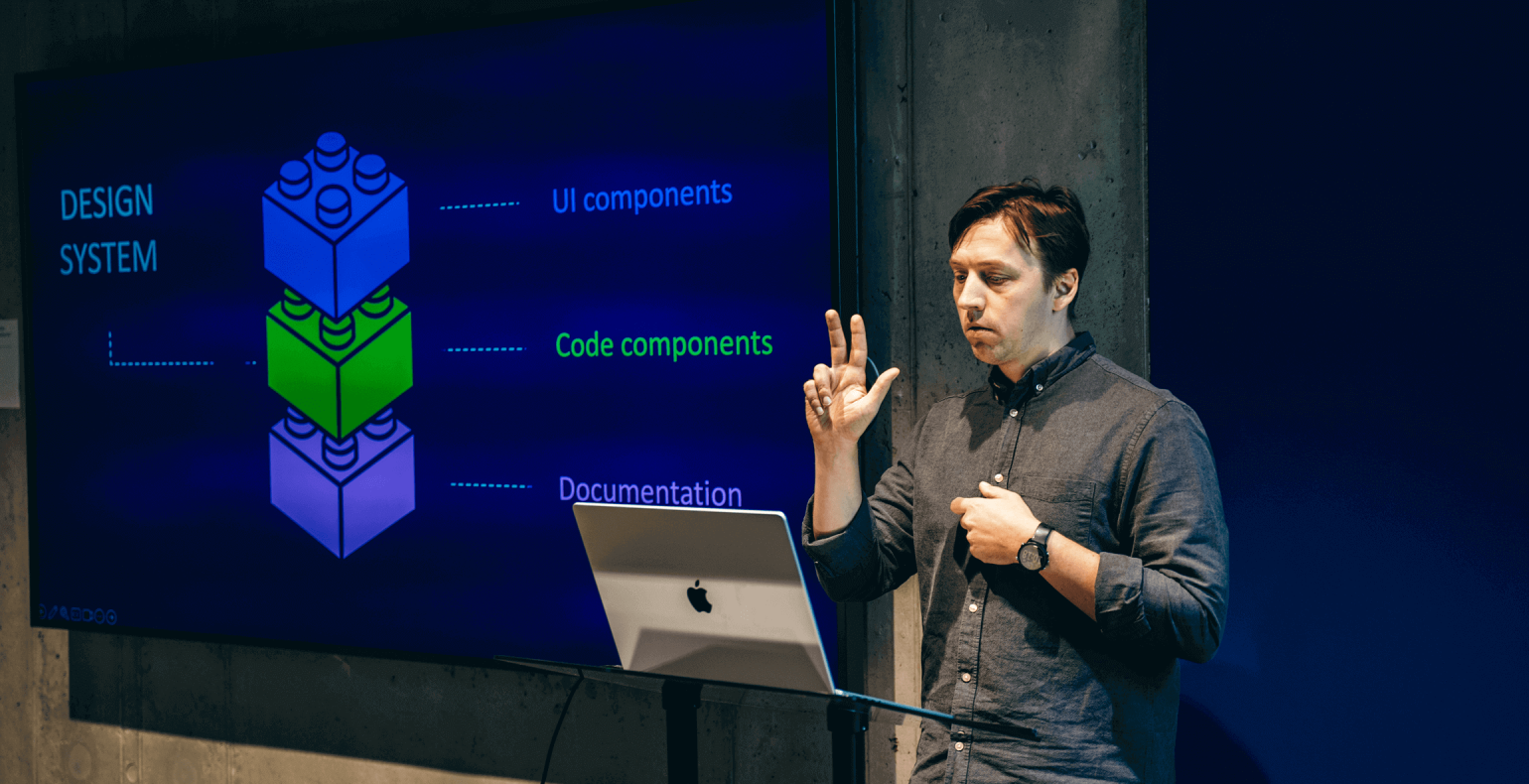
A design system gives your teams a shared, reusable set of building blocks:
- Design components in Figma
- Code components in a shared library
- Documentation that explains how to use everything
When these three parts work together, your teams move faster and stay aligned.
Think of it like LEGO® for your product:
- Designers drag and drop approved components instead of redesigning basics.
- Developers import tested, production-ready components instead of rewriting UI.
- Everyone references one shared documentation source for usage, variants, and patterns.
Remove any one of these pieces and your system fails. Keep them synced, and your team gains speed, alignment, and clarity.
A real-world example: Estonia’s national design system
Our team built Veera, Estonia’s national design system, in just seven months.
The system is framework agnostic and can be integrated with React, Vue etc); uses HTML/CSS as the base, includes design tokens, and automates handoff between design and development .
The result?
- Faster project launches
- Shared infrastructure across agencies
- Immediate reduction in duplicated UI work
- Improved focus on business problems instead of debating the button radius.
Where to start?
Here’s a clear sequence you can follow to begin improving your UI foundation this week.
1. Run a UI audit
This gives you actual, not assumed, needs. Identify:
- Your most-used components
- Variations across teams
- Inconsistencies vs. intentional differences
- Where duplication happens
2. Define your fundamentals
These choices are the backbone for every pattern you’ll create. Before components, lock down:
- Colors
- Typography
- Spacing
- Icons
- Grid
3. Build core components
Start simple: buttons, links and inputs should come first. Then move on to cards, tables, and lists. These are high-use patterns that generate the biggest productivity gains.
4. Tackle the complex components after simple ones are done
Navigation, headers, tabs, accordions, modals, tooltips: these matter for real user flows. They also have edge cases that require careful system thinking.
5. Provide real examples
People need recipes, not just lists of ingredients: this reduces misuse and accelerates onboarding. Fill the components with realistic content, and make sure you show:
- Component combinations
- Page-level layouts
- Real-world usage patterns
6. Build design + development together
A design system is not a design-only project. Involve developers from day one so the system works in both Figma and production code. It’ll also make co-operations easier!
Quick wins you can implement today
- Estimate how much UI duplication your team is doing
- Map which teams build similar interfaces
- List your top 5 most-used components
- Calculate rough time spent recreating them
You’ll likely find you’re paying for the same button more than once.
Organisations that invest in design systems unlock faster shipping for their UI, on top of reduced costs and the ability to leverage AI effectively. The structure you create now determines how fast you can move later.
Our design team is here to help. Don’t hesitate to contact us for some guidance or if you’d like to make sure you start by building on a solid foundation your team can rely on.
Want to take the discussion further?
If you’d like to take the discussion further, or find out how to set up a design system for your organization – contact us at Helmes, or drop a line to Hardi directly.
Get in touch